Building faster: Explore UP42’s API with our Postman collection

You've found the perfect geospatial API for your project, and the possibilities are exciting. But then comes the familiar friction of integration. You're ready to dive in, but you're slowed down by confusing documentation, authentication handling, and writing boilerplate code just to make your first test call.
At UP42, we believe in total transparency, so taking that pain away is a core part of our mission. That's why, alongside our API tutorials and interactive API reference, we're excited to release our new, verified Postman API collection. It's designed to help you skip the setup and get straight to the "aha!" moment. Read on to find out how you can explore the full power of our API in minutes, not hours.
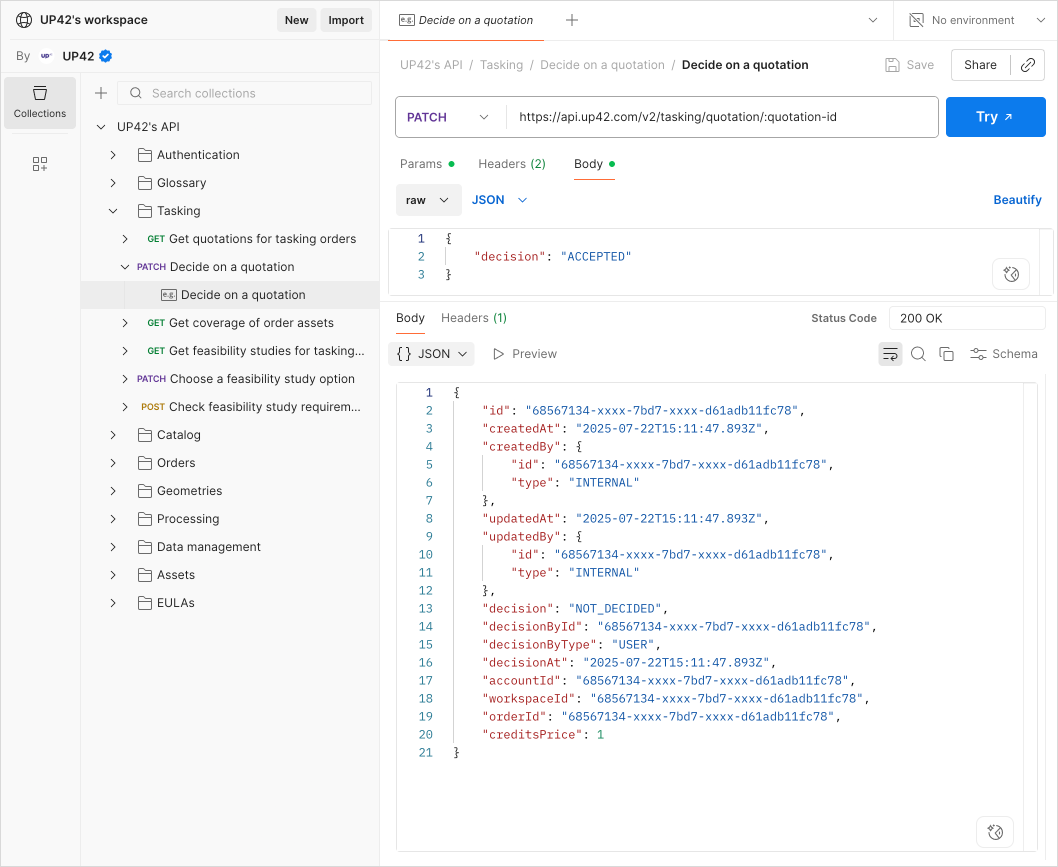
Make your first API call in 3 simple steps
With our Postman integration, you can go from reading this to making a successful API call in just a couple of minutes. All you need is your UP42 account.
Step 1. Fork the collection
First, you'll need a copy of the collection in your own Postman workspace.
- Click the following link: Run in Postman.
- Click Fork Collection to create a copy of the collection.
- Select the workspace you want to copy it to and click Fork collection.
Step 2. Authenticate
We use a simple and secure browser-based login, so you don't have to manually handle API tokens. Postman takes care of this for you.
- In Postman, open the forked collection and select an endpoint request.
- Go to the Authorization tab of the endpoint request.
- Under Auth type, select UP42 Guided Auth. Click Authorize.
- In the opened browser tab, log in using your UP42 credentials.
That's it! Your session is now fully authenticated. Postman will manage the token and even handle refreshing it for you, so you can focus on exploring.
Step 3. Make your first API call
Now, let's see it in action.
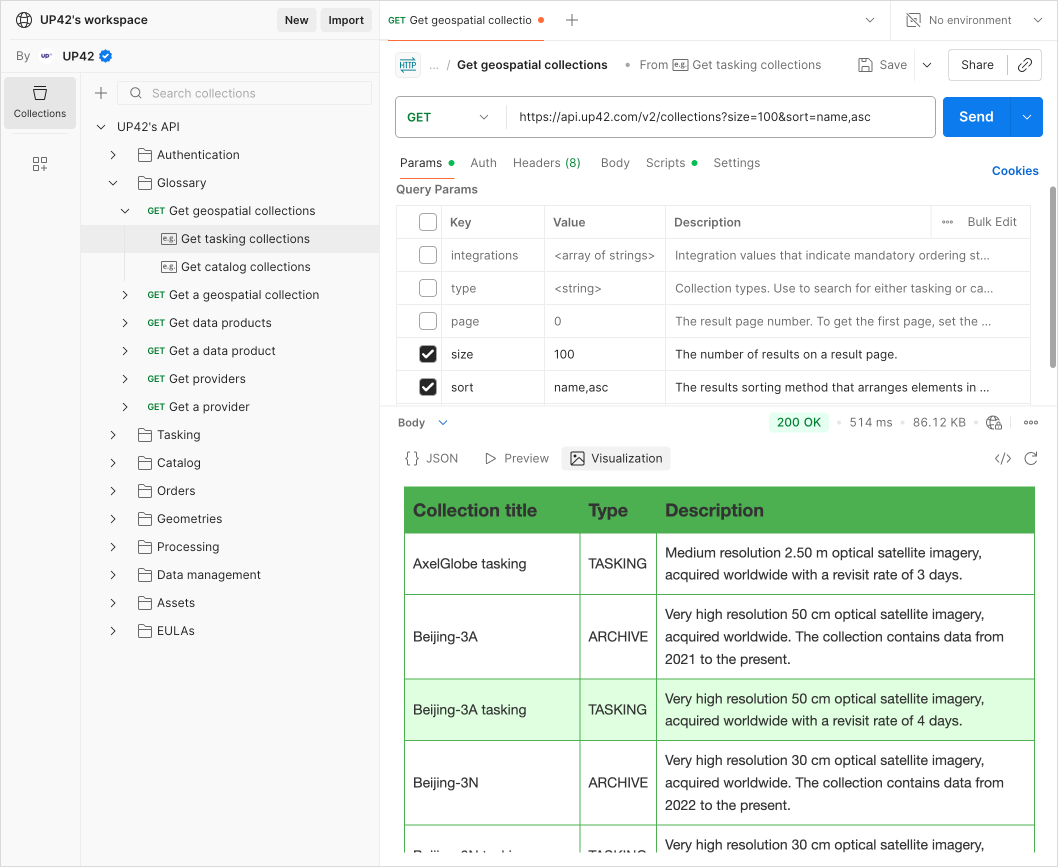
- In the collection's folder list, find and select the Get geospatial collections API request. This endpoint shows you all the data collections available on the platform.
- Click Send.
You will see a JSON response in the panel below, filled with data.
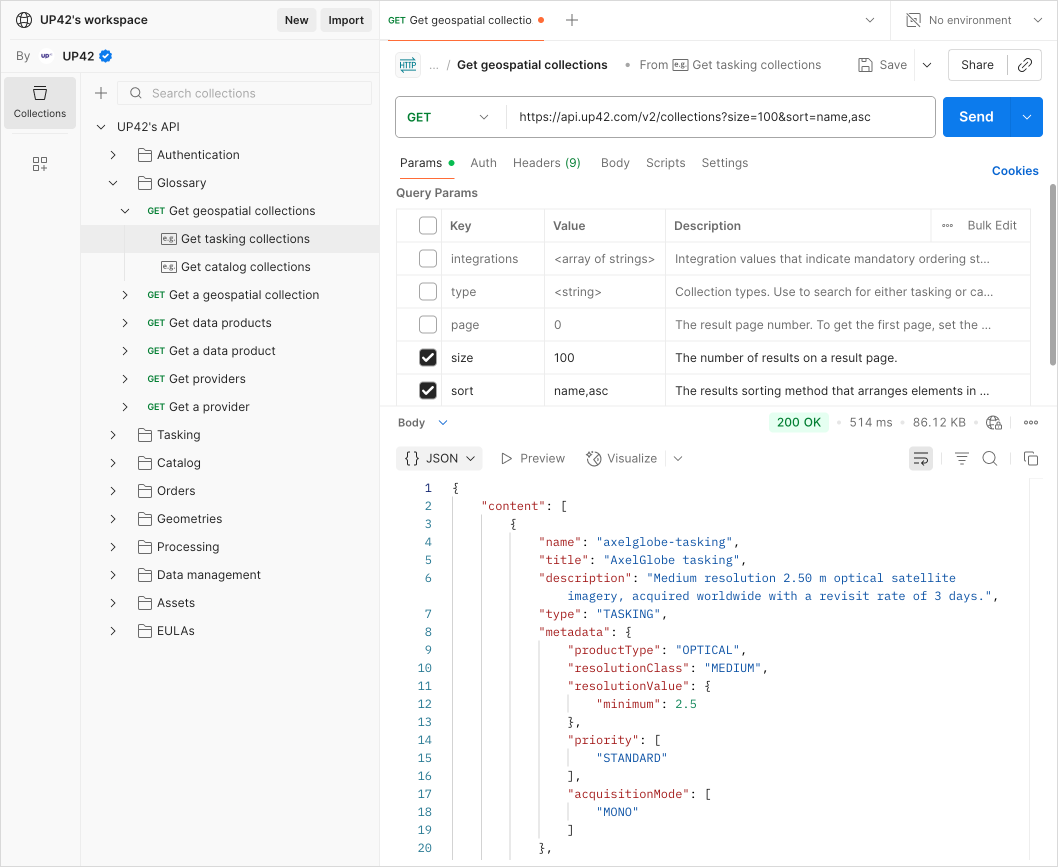
Congratulations! You've just successfully authenticated and queried the UP42 API. Now you're ready to explore what's truly possible.
Explore the sandbox: A tour of our API
Find what you're looking for
As you begin to order geospatial assets, your personal storage can grow quickly. We've integrated a powerful, STAC-enabled search directly into our data management API. You can find the precise imagery you need by filtering by area of interest, acquisition date, cloud coverage, and other parameters. It's the fastest way to organize and access the data you already have.
Visualize previews in Postman
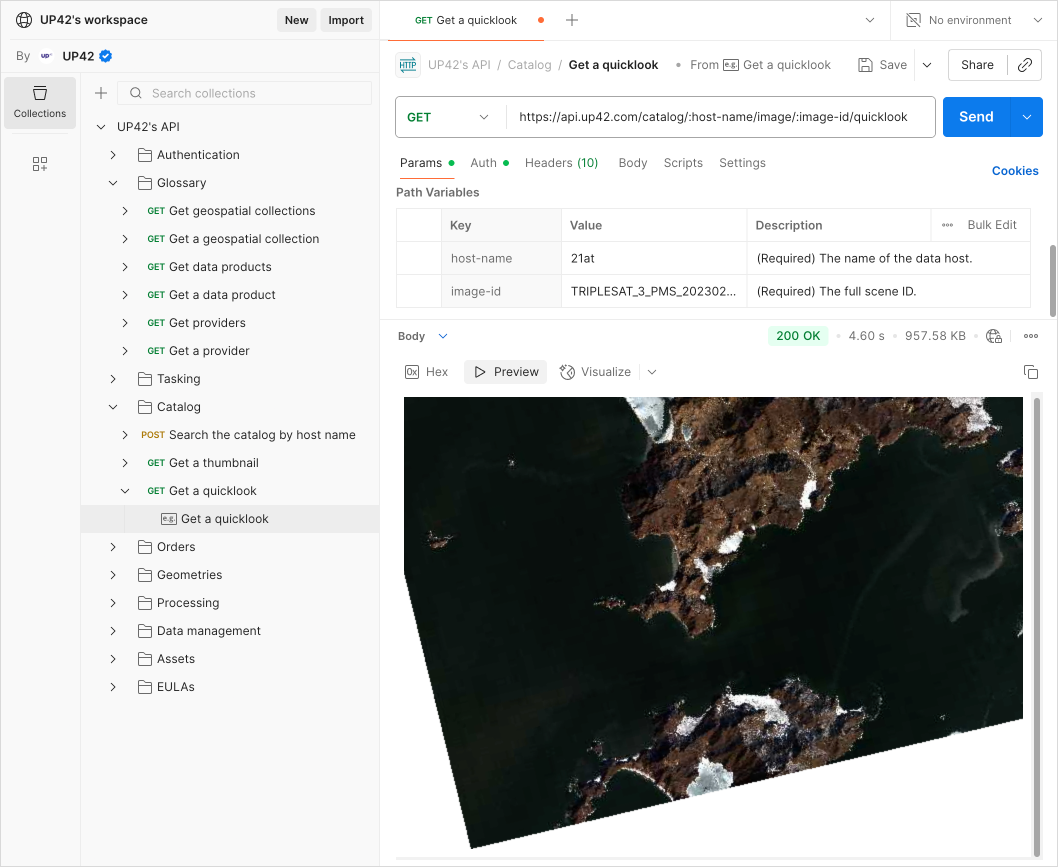
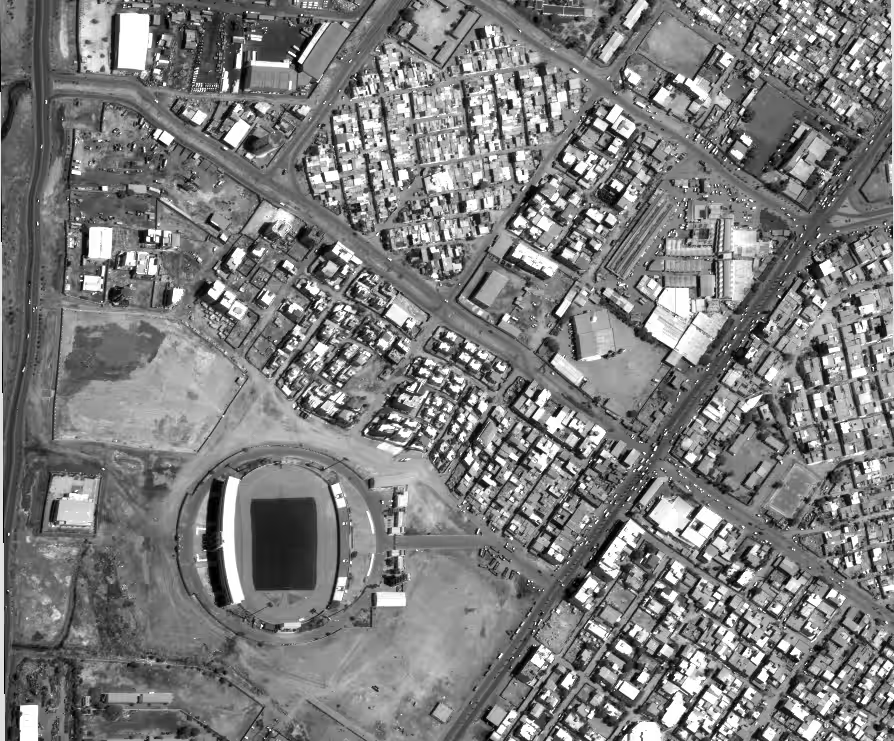
Geospatial data is visual. With our API collection, you don't have to imagine what an asset looks like. We provide quicklooks and thumbnails for catalog imagery. Postman's built-in visualizer can display these images for you, so you can get a better picture of what you're looking at without ever leaving the app.
Turn JSON responses into actionable insights with Postbot
JSON responses are great for machines, but sometimes you just want to see the data in a more human-friendly format. Use Postman's built-in AI assistant, Postbot, to visualize responses as clean tables, lists, or even charts in a matter of seconds.
From exploring our API to your next big idea
You now have a sandbox to test ideas, validate workflows, and explore the full potential of our platform. Let Postman handle the overhead; you handle the ideation.
Ready to start building? Fork the UP42 Postman API collection and make your first API call in minutes.
Once you've mapped out your workflow, you can take your project to the next level. Our Python SDK is designed to help you build production-ready applications with ease.

Subscribe to our newsletter
Stay up to date and learn about our fast-growing new features