Spend you can cap and coverage you can see
.png)
This month is all about giving you more control around every order: understanding what you’re buying, managing what can be spent, and adapting tasking when plans change.
Control how much can be spent, and when (Enterprise accounts only)
You can already create and track budgets, as well as require everyone in the account to select one at checkout. We’ve got two new controls coming on top of that.
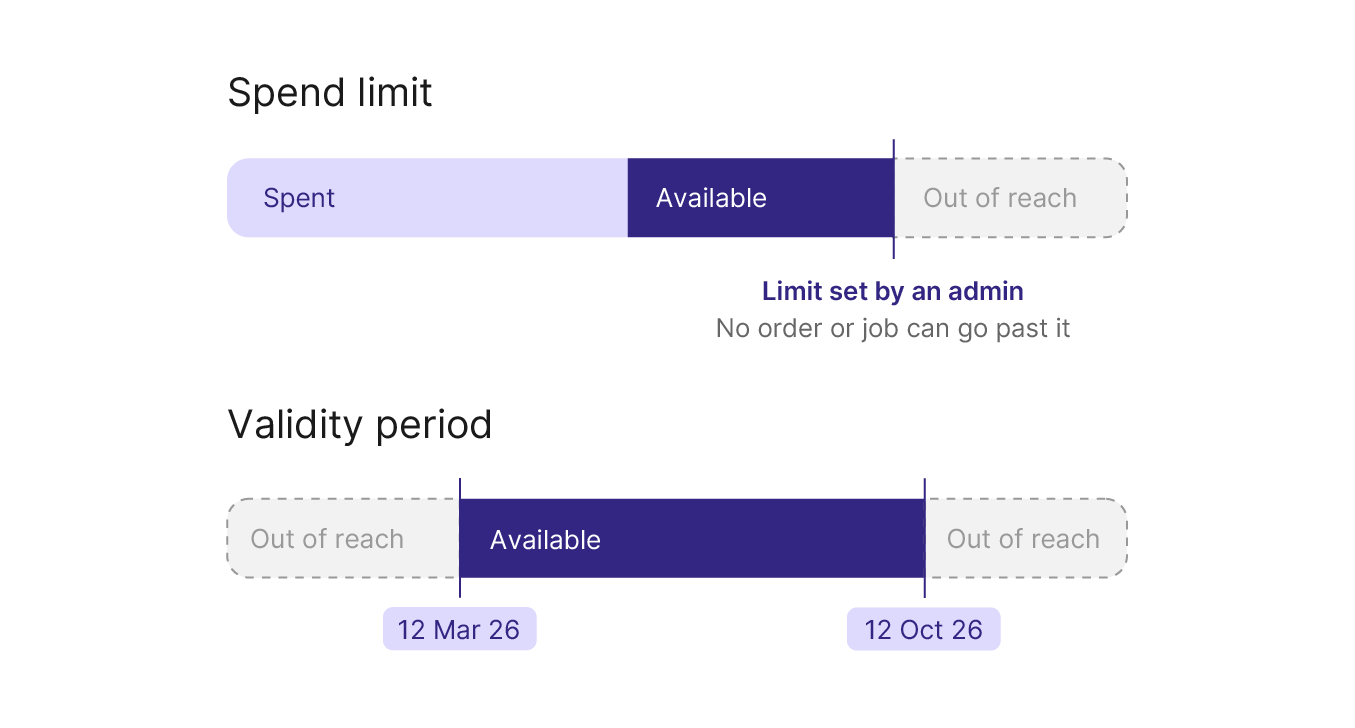
A spend limit is a hard ceiling set by an admin: no order or job placed against that budget can exceed it. Everyone working against the budget knows exactly how much they can spend, making it easier to align platform spending with internal POs or cost centres.
A validity period is a date range outside which a budget automatically becomes unusable. Useful for a fixed-term project, or a quarterly allocation that closes itself.
Fill your cloud bucket automatically (Enterprise accounts only)
Stop downloading deliveries and re-uploading them on your side: cloud bucket upload copies data items from UP42 storage straight to your own Amazon S3 bucket. Once it’s set up, every new data item follows automatically. Items already in storage are not backfilled.
Read the configuration steps, and let us help you set it up.
Stop guessing AOI coverage
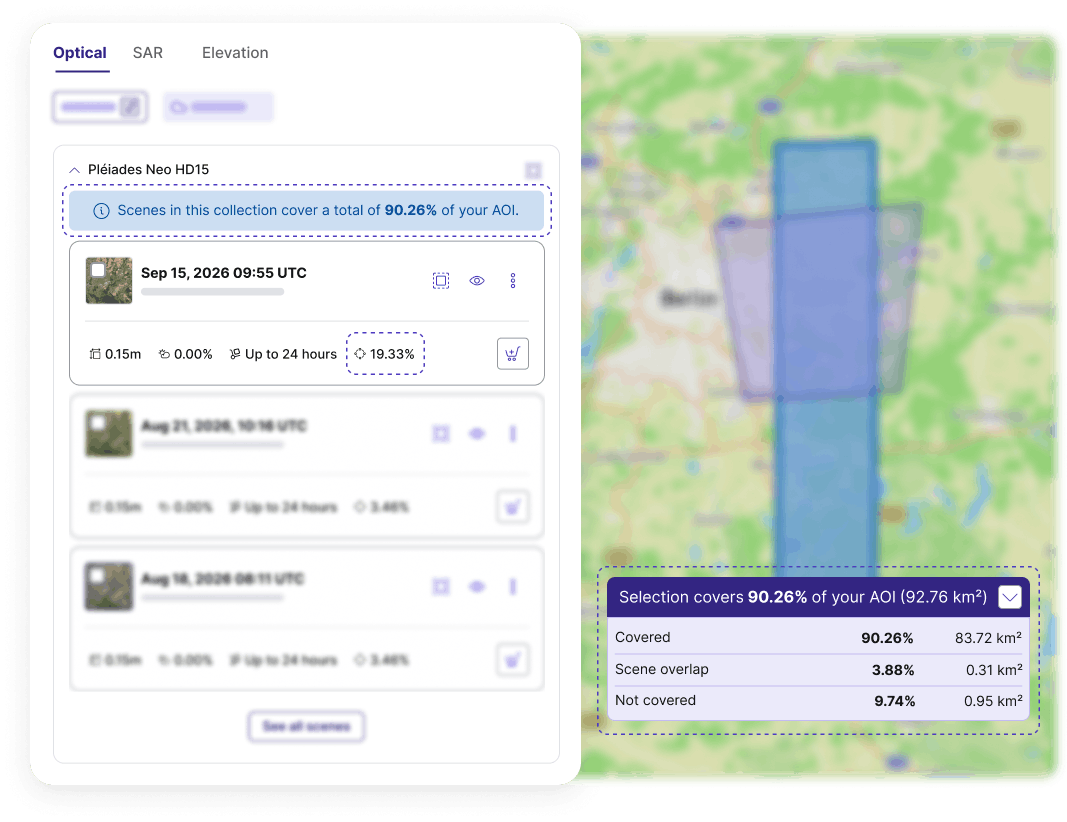
Working out how much of your AOI an archive scene covers, before you commit to buying it, used to mean eyeballing footprints on the map. The catalog now shows it in three places: on each individual scene card, as a banner across all scenes on your current results page, and across the scenes you’ve selected, in an accordion above the map view.
That last one splits your selection into covered, not covered, and overlap. The overlap figure shows where scenes cover the same ground twice, so you can trim your selection down to the scenes you actually need.
Adapt active tasking orders to changing needs
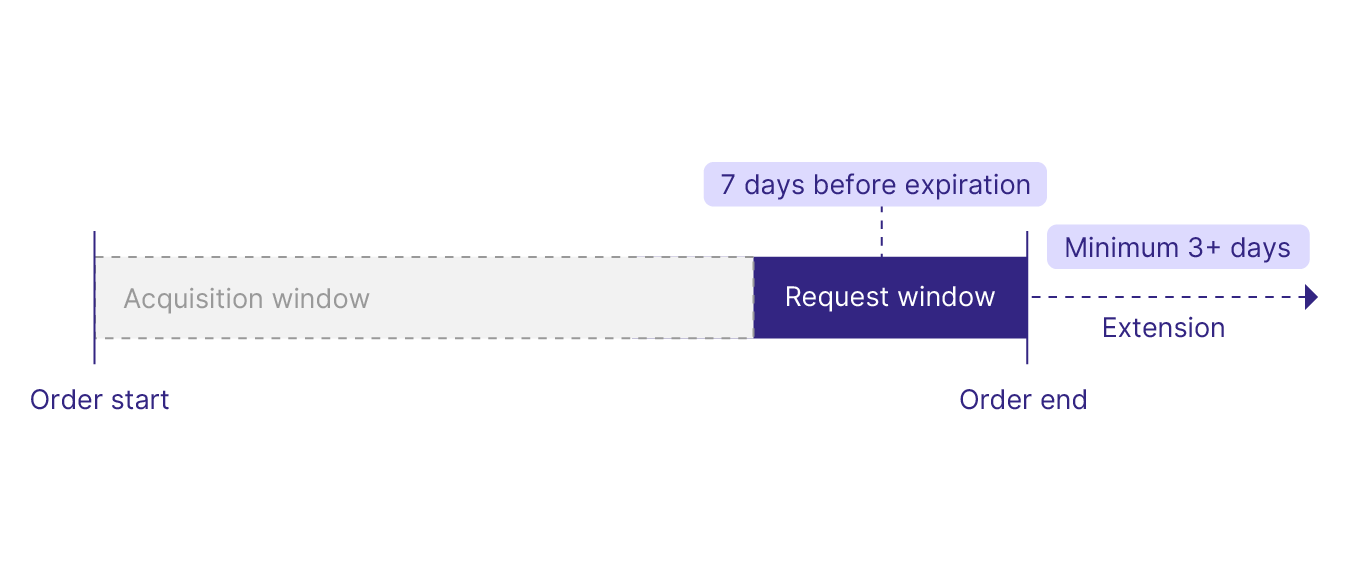
Need more time? Previously, when an acquisition window was about to close without a usable capture, you had to ask for an extension by email. Extensions are now a request you can make directly through the API, and then track like any other object, available across all tasking collections. Two rules apply for now: your order has to be within seven days of expiring, and the new end date has to add at least three days. You can also extend more than once.
Cloudy, with a chance of usable imagery? Sometimes a capture comes back usable, just cloudier than the threshold you set. Instead of discarding it, we now offer it as a proposal: you review where the clouds actually sit and what they affect, then accept or reject the acquisition yourself. Currently available for Airbus collections.
Other updates
- ICEYE tasking: Plan with acquisition windows as short as a day, four revisits a day, 8-hour or 3-hour production after capture, cloud-optimized GeoTIFFs and GeoJSONs you can directly use, and point inputs instead of polygons.
- Vantor, in true color: Our True Color Conversion algorithm now works with eligible Vantor data products too, turning 16-bit RGB imagery into 8-bit.
- NEXTMap 6, now updated globally: View Intermap's updated coverage here.
- Collection finder goes beyond optical: Filter and compare collections of every product type by their technical specifications in the documentation.
Next month, keep an eye out for WMTS streaming across multiple items.
That's it from us this month. Questions or feedback? Get in touch with our team.


Subscribe to our newsletter
Stay up to date and learn about our fast-growing new features